
Using Stripe's New Web Checkout In-App
For users in the United States, you can offer Stripe checkout inside of your app's experience. For more information on how to configure Stripe checkout, review the documentation here. This specific guide shows you how to use Stripe's new checkout flow.
App Store Review Tip: If you're using an in-app Stripe checkout sheet, we strongly suggest showing your Stripe purchase experience to Apple during an App Review before testing with users. For recommended reviewer note language, see the App2Web docs.
- 1
Choose a Stripe product on your paywall
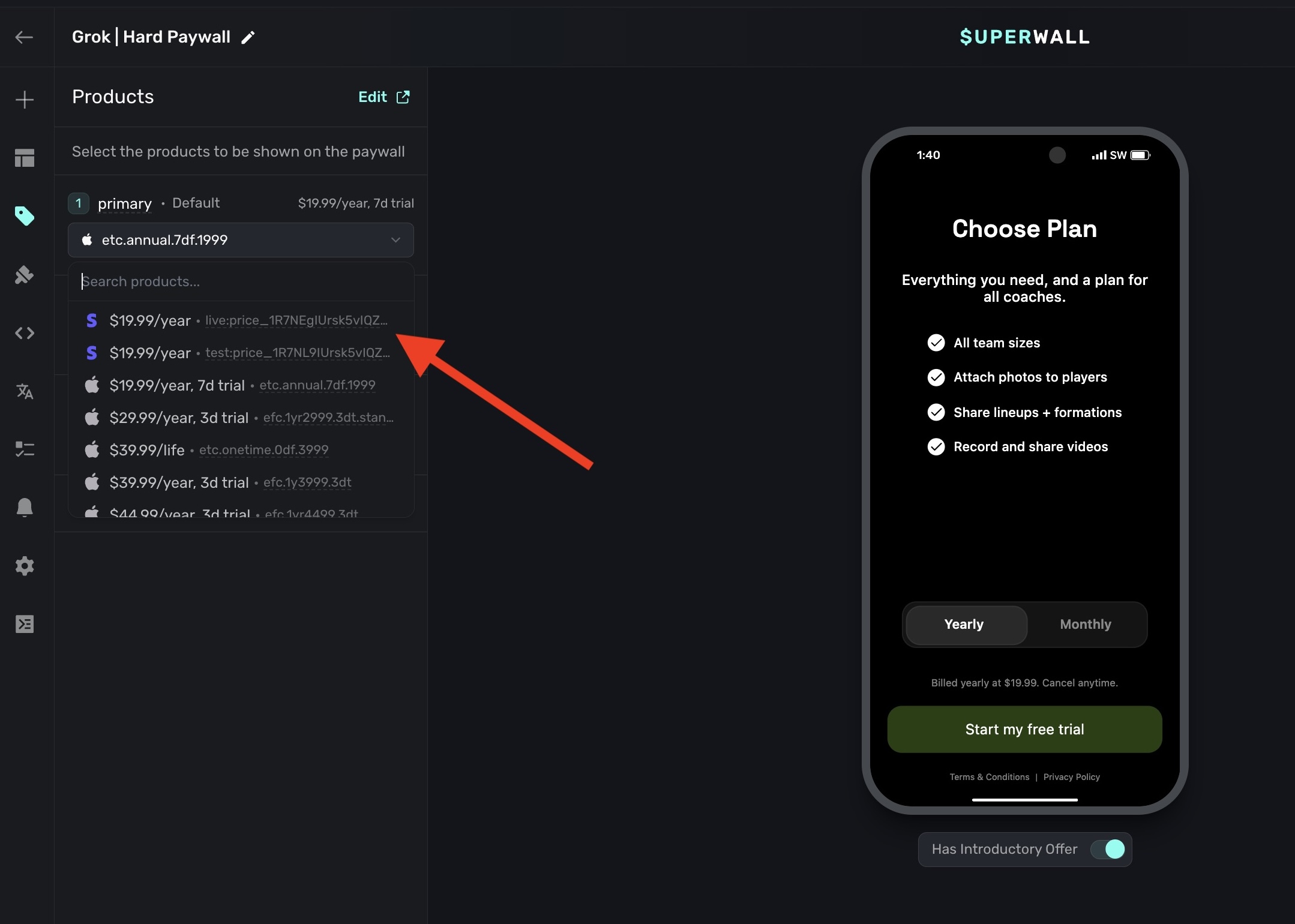
- 2
Ensure your audience filter matches US customers only to remain compliant
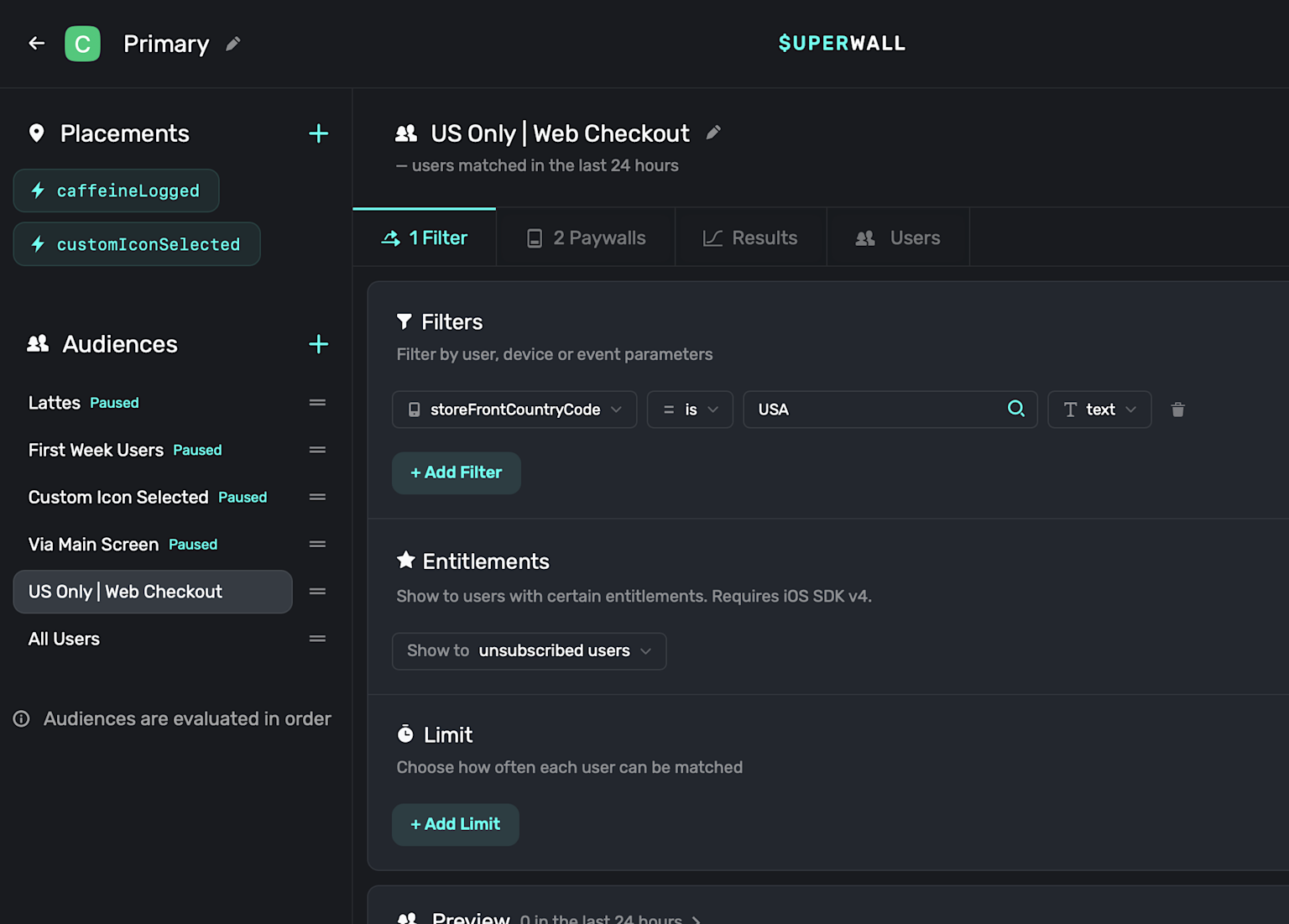
- 3
Stripe Checkout will now show
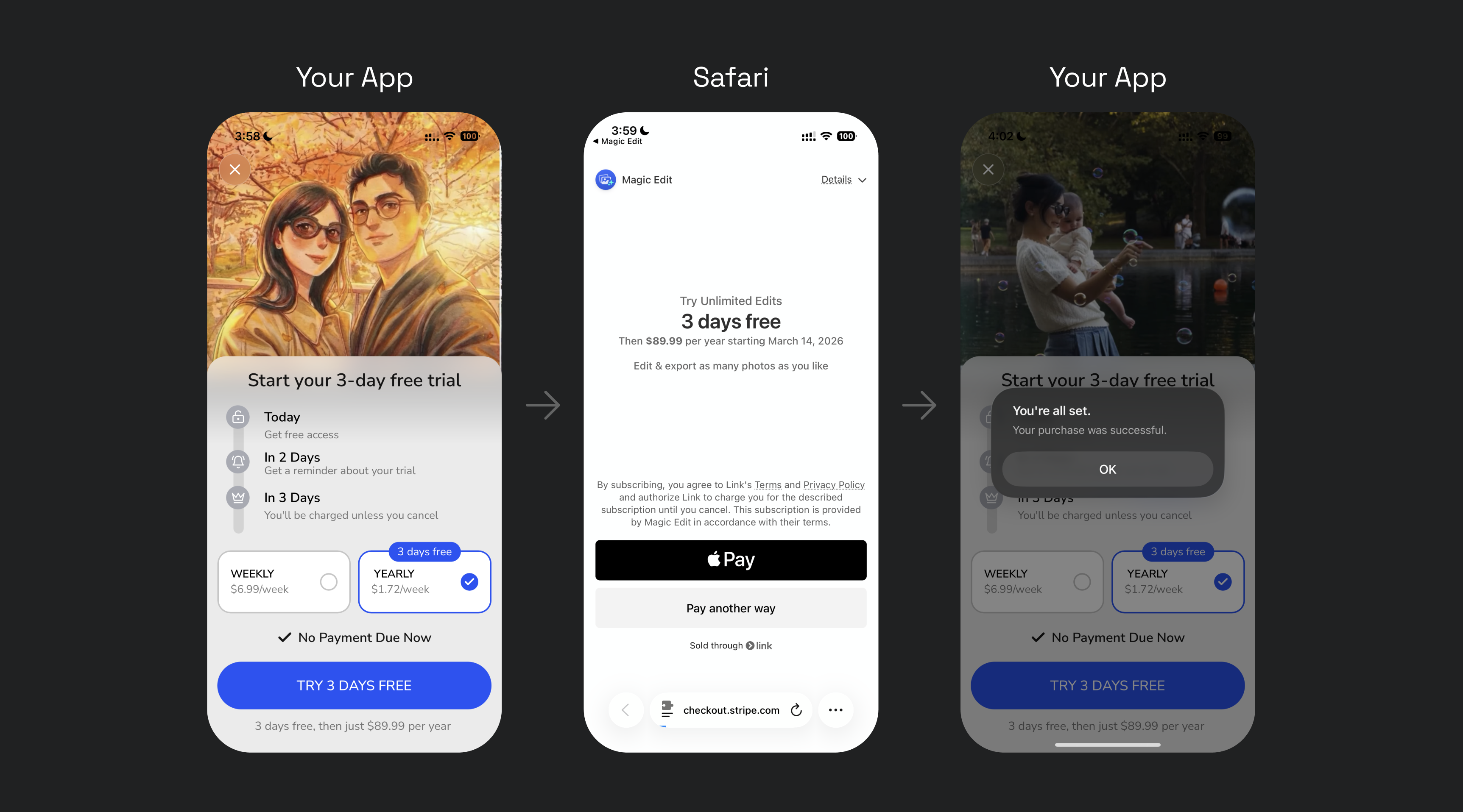
This process works by attaching the Stripe product to a purchase tap behavior. Once the user checks out, the web redemption flow will occur.
How is this guide?